Guide
Library User Guide
How to Search for a Book
- Go to the library website: https://library.adsm.ac.ae
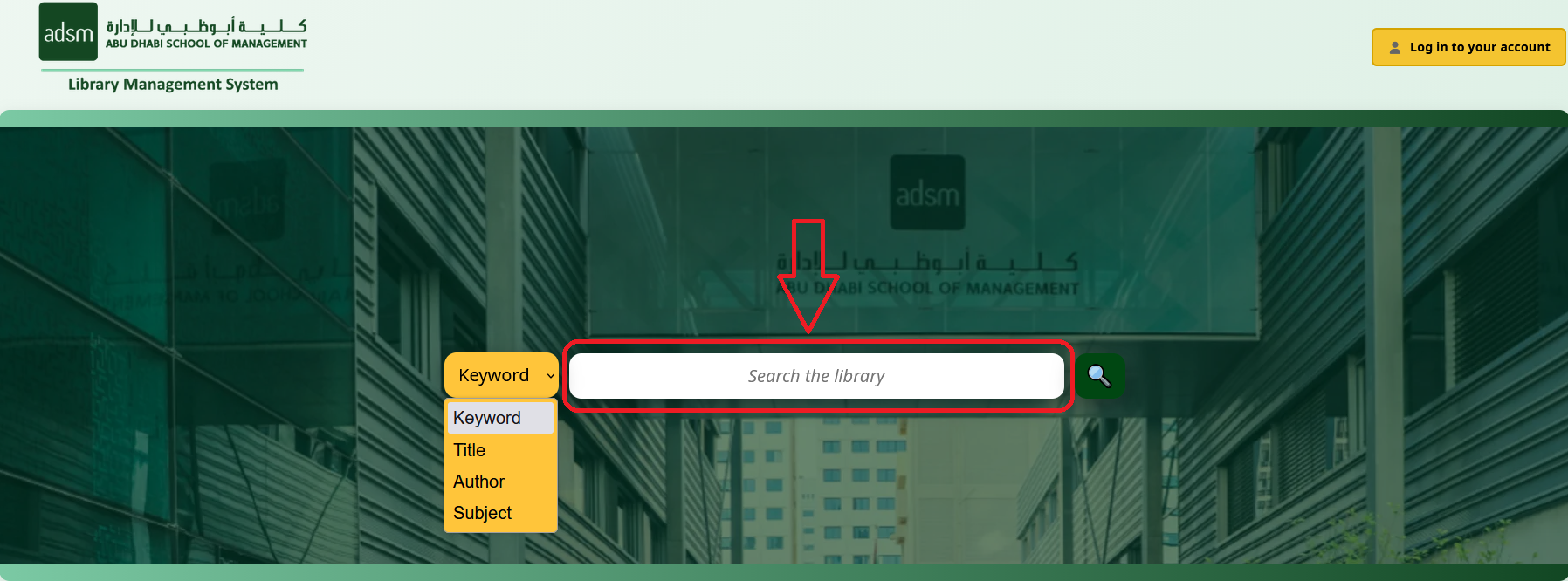
- Use the search bar on the homepage.
- You can search the catalog generally using keywords, or more specifically by book title, author, or subject.
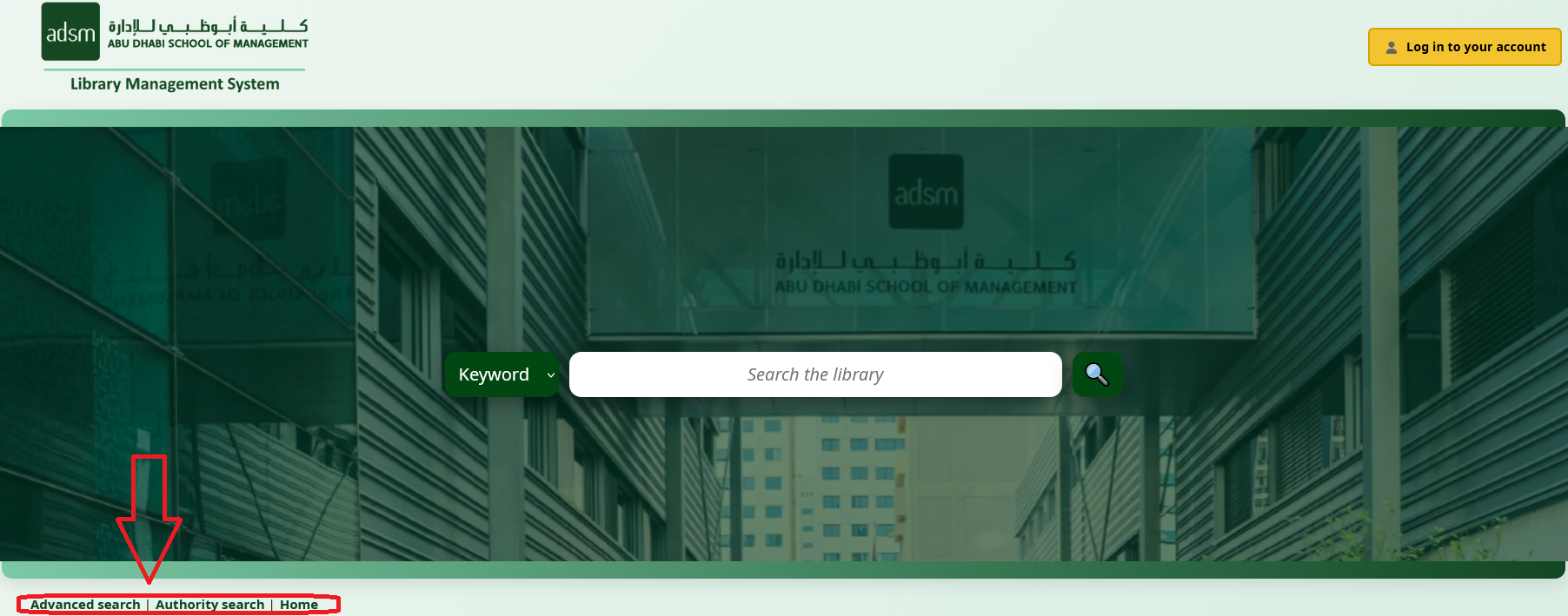
- For more detailed searches, use the Advanced Search or Authority Search options.
Your Account
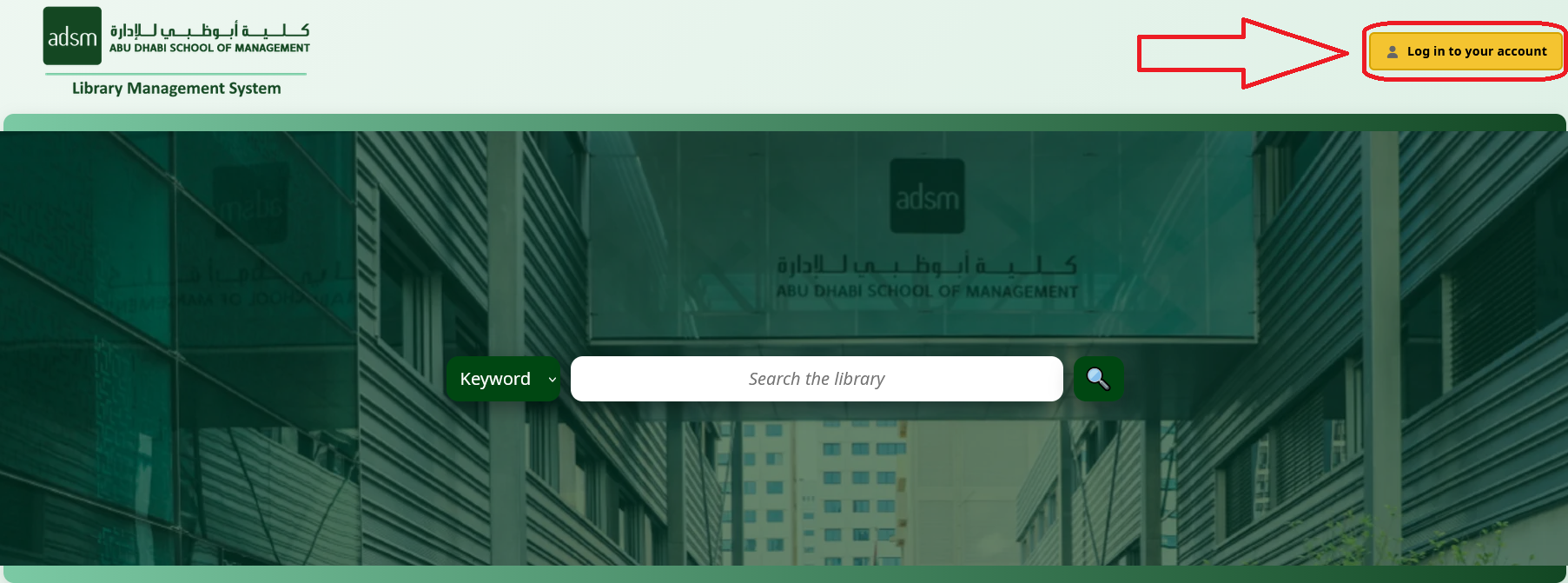
- Click "Log in to your account" (top right corner).
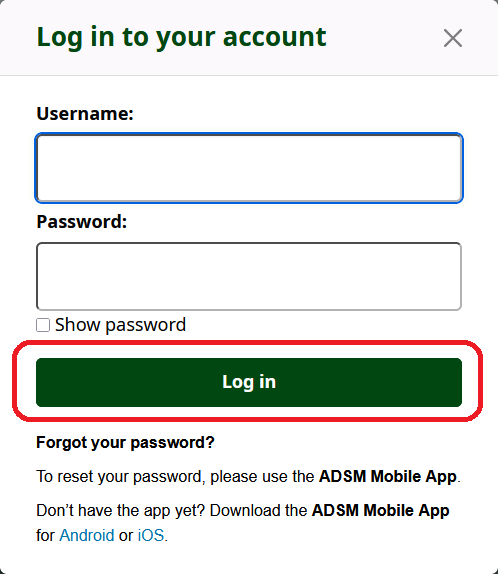
- Enter your Username and Password, then click Log in.
- Inside your account, you can view:
- Summary — your current checkouts and holds.
- Checkout History — items you have borrowed in the past.
- Holds History — items you have previously placed on hold.

How to Borrow a Book
After finding a book in the catalog, you have two options:
Option 1: Check Out the Book (If Available)
- Visit the library.
- Provide the book details (or bring the book) to the librarian.
- The librarian will check out the book to your account.
- For the checkout period and borrowing policies, refer to the library policy page.
Option 2: Place a Hold (Reserve a Book)
- Search for the book.
- Click on the book title.
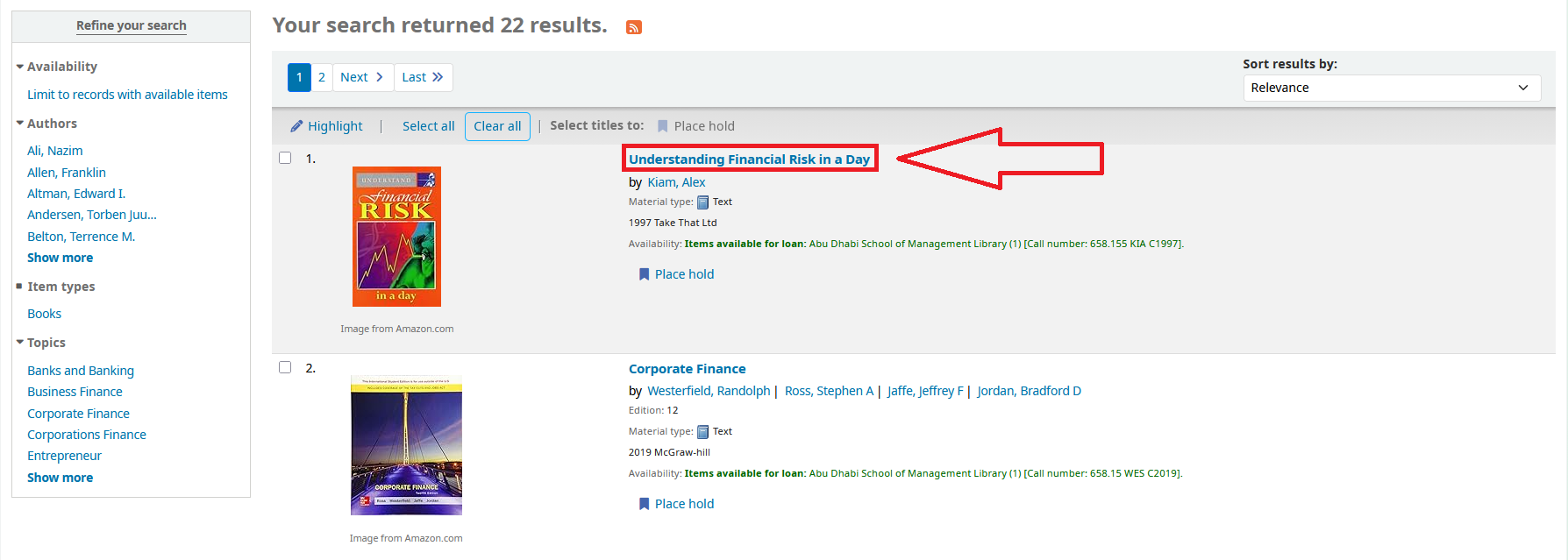
- Click "Place hold".
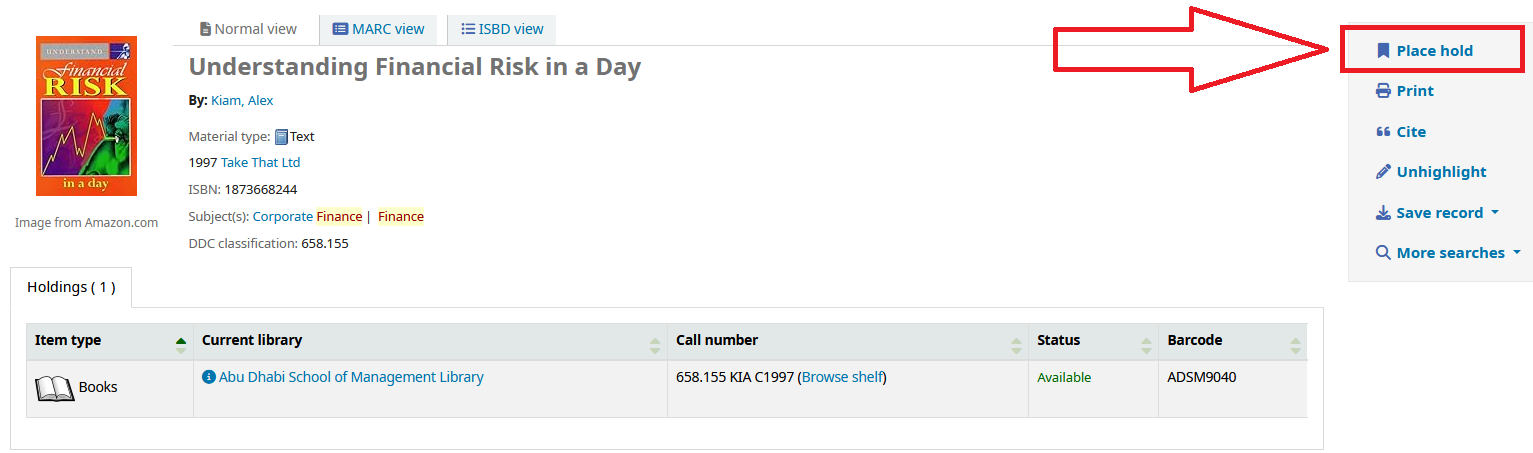
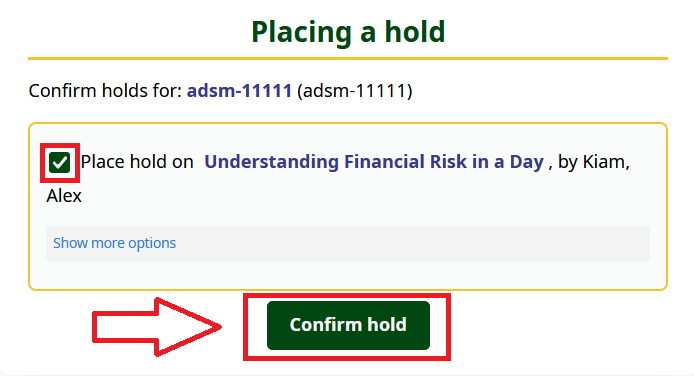
- Confirm the request:
- Make sure the checkbox is selected.
- Click "Confirm hold" to place your request.
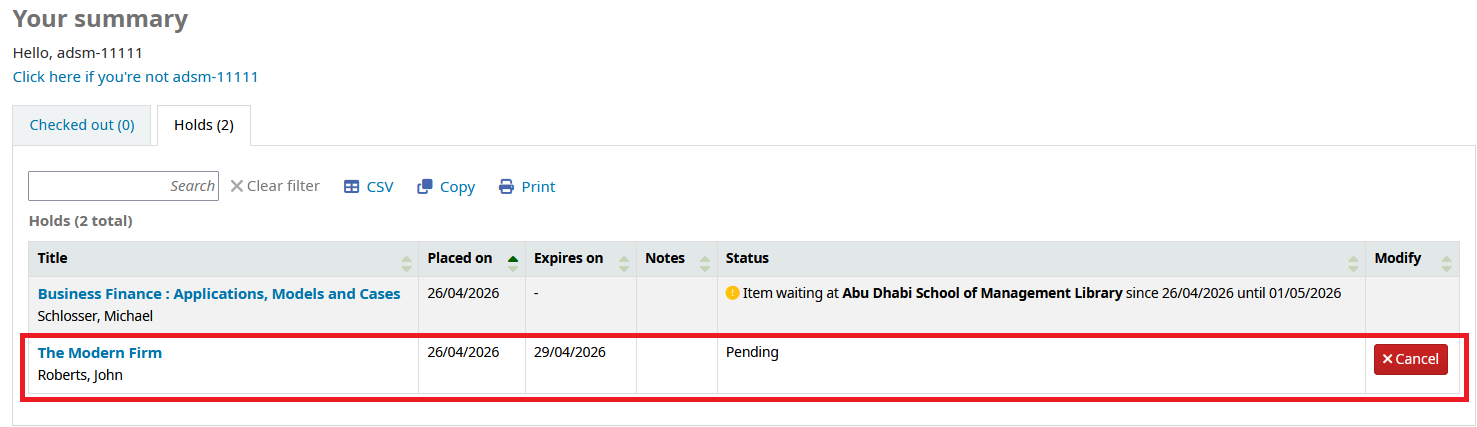
- You will have 3 days to pick up the book. Holds are processed on a first-come, first-served basis. You can cancel at any time by clicking "Cancel".
Important: Collecting the Book
Placing a hold does NOT mean the book is delivered to you. You must come to the library to collect it.
Placing a hold does NOT mean the book is delivered to you. You must come to the library to collect it.